Starting a gaming channel in 2026 with zero subscribers feels like loading into a Battle Royale match with no weapons, no armor, and 50 million other players already looting. The gaming content space is more crowded than a Minecraft server on launch day. YouTube alone has over 40 million active gaming channels. Twitch has 9 million monthly streamers. TikTok gaming is a firehose of 30-second clips competing for the same dopamine spike.
And yet - new creators break through every single month. Channels that didn't exist six months ago are now pulling 100K views per video. Streamers who started in January are hitting Partner by July.
The difference between creators who make it and creators who quit after two months isn't talent, equipment, or luck. It's strategy. So let's talk strategy.
The State of Gaming Content in 2026
Let's be brutally honest about what you're walking into.
The gaming content market is oversaturated at the top. If your plan is to become "the next big variety gaming channel" covering whatever AAA title drops this week, you're competing against creators who have been doing this for a decade, have professional editing teams, and get early access copies hand-delivered by publishers on a silver platter.
But here's what most "how to grow" guides won't tell you: the middle and bottom of the market are wide open. The algorithm doesn't care about your subscriber count. It cares about click-through rate, watch time, and engagement. A video from a 200-subscriber channel can outperform a video from a 200K channel if it answers a question nobody else is answering.
The opportunity in 2026 isn't becoming the biggest. It's becoming the most specific.
Picking Your Platform: Where Should You Actually Post?
Not all platforms are created equal, and where you start matters more than most people think. Here's the honest breakdown:
| Factor | YouTube | Twitch | TikTok | Kick |
|---|---|---|---|---|
| Discovery potential | Excellent (search + browse) | Poor (you need raids) | Excellent (algorithm-driven) | Low (small user base) |
| Content lifespan | Years (evergreen search) | 14 days (VODs expire) | Days to weeks | 30 days |
| Monetization threshold | 1,000 subs + 4,000 hrs | 50 followers + 500 min | 10K followers + 100K views | 75 followers + 5 hrs |
| Best for | Reviews, guides, essays | Live community, reactions | Viral clips, highlights | Early adopters, gambling on growth |
| Growth speed (0-1K) | 3-12 months | 6-18 months | 1-6 months | Unpredictable |
| Revenue per 1K views | $2-8 | $0.50-3 (ads + subs) | $0.20-1 | $0.10-0.50 |
The smart play: Start with YouTube or TikTok for discovery, then expand. YouTube is unbeatable for long-term value because your videos keep generating views years later - it's the compound interest of content. TikTok is unbeatable for speed because the algorithm will show your video to people regardless of your follower count.
Twitch is the worst platform to start on if you have zero audience. Without viewers, you're streaming to the void, ranked at the bottom of a category with 10,000 other zero-viewer streams. It's like trying to level up by fighting enemies that give zero XP. Start on YouTube or TikTok, build an audience, then bring them to Twitch.
Finding Your Niche: "Gaming" Is Not a Niche
Here's where most new creators fail before they even upload their first video. They think their niche is "gaming." That's like saying your niche is "food." Cool - are you a sushi chef, a barbecue pitmaster, or a guy who reviews gas station snacks? These are all food, but they attract completely different audiences.
You need to go at least two levels deep:
Level 1 (too broad): Gaming Level 2 (better): Indie games Level 3 (money zone): Indie horror games with retro PS1 aesthetics
Here's a niche selection table to help you think through this:
| Niche | Competition Level | Growth Potential | Key Access | Monetization Potential |
|---|---|---|---|---|
| AAA game reviews | Extreme | Low (saturated) | Nearly impossible | High (if you break through) |
| Competitive/esports | High | Medium | Not applicable | Medium (sponsorships) |
| Indie game coverage | Low-Medium | Very High | Easy (devs want you) | Medium-High |
| Retro gaming | Medium | Medium | Not applicable | Medium |
| Game dev tutorials | Low | High | Not applicable | High (courses, tools) |
| Horror games | Medium | High | Moderate | High (great for clips) |
| Cozy/farming sims | Low | Very High | Easy | Medium |
| VR gaming | Low | High (growing market) | Moderate | Medium |
| Mobile gaming | Low-Medium | Medium | Easy | Low-Medium |
Notice the pattern? Niches where developers actively want coverage are the easiest to grow in. More on that in a minute.
The 30-Video Starter Plan
Forget the "just be consistent" advice. Here's a concrete plan broken into weekly chunks that gives you the best shot at gaining traction in your first two months.
Weeks 1-2: Foundation (Videos 1-8)
- Videos 1-3: "Hidden gem" style - find 3 games in your niche that have under 50 YouTube videos about them. Make content nobody else has made. This is your cheat code for search traffic.
- Videos 4-5: "Top 5/10" list format - these are the bread and butter of gaming YouTube. "Top 10 Indie Horror Games You've Never Heard Of" will get search traffic forever.
- Videos 6-8: Direct gameplay - let's plays, first impressions, or reviews of trending games in your niche. Ride the wave of whatever just launched.
Weeks 3-4: Double Down on What Works (Videos 9-16)
- Check your analytics. Which of your first 8 videos got the most impressions? The highest click-through rate? The best average view duration?
- Make 4 more videos in the style that performed best.
- Make 4 experimental videos trying a format you haven't tried yet (shorts, essays, tier lists).
Weeks 5-6: Community Building (Videos 17-24)
- Start responding to every single comment. Yes, every one. Even if there are only 3.
- Create 2-3 "response" videos - reacting to news, patches, or community topics in your niche.
- Collaborate with another small creator in your niche. Find someone with a similar subscriber count and make a video together. Cross-pollination is the most underrated growth hack.
Weeks 7-8: Optimization Sprint (Videos 25-30)
- Revisit your thumbnails on videos 1-16. Improve them based on what you've learned.
- Create 2 "pillar" videos - longer, more researched, higher-effort content that positions you as an authority.
- Start posting Shorts/clips from your long-form content on TikTok and YouTube Shorts. Repurposing is not optional - it's free growth.
By video 30, you'll have enough data to know what works, what doesn't, and what your audience actually wants. Most creators never make it to video 30. If you do, you're already ahead of 90% of people who "started a gaming channel."
Why Indie Game Coverage Is the Smartest Niche for Small Creators
This is the part where we stop being neutral and give you the cheat code.
If you're starting from zero in 2026, covering indie games is by far the highest-ROI niche choice. Here's why:
1. The competition is laughably low. Search for any AAA game on YouTube - you'll find 10,000 videos. Search for most indie games and you'll find 5-50. That means your video can rank on page one within days, not years.
2. Developers will actually find YOU. Indie devs are desperate for coverage. They spend their days searching YouTube for creators who might cover their game. If you're one of the few people making content about indie roguelikes, devs in that space will notice you.
3. Free game keys flow like mana. When you cover indie games, developers send you keys. Not because you begged - because they want you to play their game and make content about it. It's a genuine partnership. You get free games, they get exposure. Everybody wins. (More on how this works in our guide to getting game keys as a creator.)
4. Grateful developers promote YOUR content. When an indie dev with 20,000 Twitter followers retweets your video, that's free marketing you didn't pay for. AAA publishers will never do this. Indie devs do it constantly because every piece of coverage matters to them.
5. The audience is passionate and underserved. People who love indie games are actively searching for content about them because there isn't enough. They'll subscribe to anyone who consistently delivers quality coverage of games they care about.
Algorithm Playbook: How Discovery Actually Works
Let's kill some myths and talk about how the algorithm works on each platform in 2026.
YouTube
YouTube's algorithm is a recommendation engine. It doesn't care who you are - it cares about performance signals:
- Click-through rate (CTR): The percentage of people who see your thumbnail and click. Aim for 5-10%. Below 3% means your title and thumbnail need work.
- Average view duration (AVD): How long people watch before leaving. The algorithm wants viewers to stay on the platform, so it rewards videos that keep people watching. Target 40-60% of your video length.
- Session time: Does your video lead to more viewing? YouTube rewards videos that start binge sessions.
The practical takeaway: thumbnails and titles matter more than production quality. A mediocre video with a brilliant title and thumbnail will outperform a masterpiece with a boring thumbnail every single time.
TikTok
TikTok's algorithm is the most egalitarian - it genuinely doesn't care about your follower count. It shows your video to a small test group, measures engagement, and if the numbers are good, it shows it to more people. The signals:
- Watch time: Do people watch the whole video or scroll past? Hook them in the first 1-2 seconds.
- Replays: Videos that get rewatched signal high value. Short, satisfying clips encourage replays.
- Shares: The most powerful signal. Make content people want to send to friends.
The practical takeaway: Every TikTok is a fresh audition. Your last video flopping doesn't hurt your next video. This is the most forgiving platform for new creators.
Twitch
Twitch barely has a discovery algorithm. The default sort is by viewer count, which means if you have 0 viewers, you're invisible. Growth on Twitch comes from:
- Raids: Bigger streamers sending their audience to you. Network relentlessly.
- External traffic: Bring viewers from YouTube, TikTok, Discord, or Twitter. Twitch rewards streams that bring new users to the platform.
- Category selection: Stream games with 100-2,000 viewers in the category. Enough audience to discover you, not so much that you're buried.
The practical takeaway: Don't try to grow on Twitch alone. Use it as a community hub for the audience you build elsewhere.
Equipment Budget Guide: Start With What You Have
If you're waiting until you can afford a $2,000 setup, you'll never start. Here's the realistic upgrade path:
Phase 1: Free ($0)
- Camera: Your phone or no camera (gameplay-only videos are completely valid)
- Mic: Your phone's mic or earbuds with a built-in microphone
- Capture: OBS Studio (free), phone screen recording
- Editing: DaVinci Resolve (free), CapCut (free)
This is enough. Seriously. Some of the biggest gaming channels started with worse setups than this. Nobody is going to unsubscribe because your audio isn't studio quality. They'll unsubscribe if your content is boring.
Phase 2: Starter ($50-150)
- Mic: Fifine K669 or similar USB condenser ($30-50) - the single biggest quality jump you can make
- Capture card: If recording console gameplay, Genki ShadowCast ($50)
- Lighting: A desk lamp pointed at a white wall behind your monitor. Cost: you probably already own this
Phase 3: Serious ($300-700)
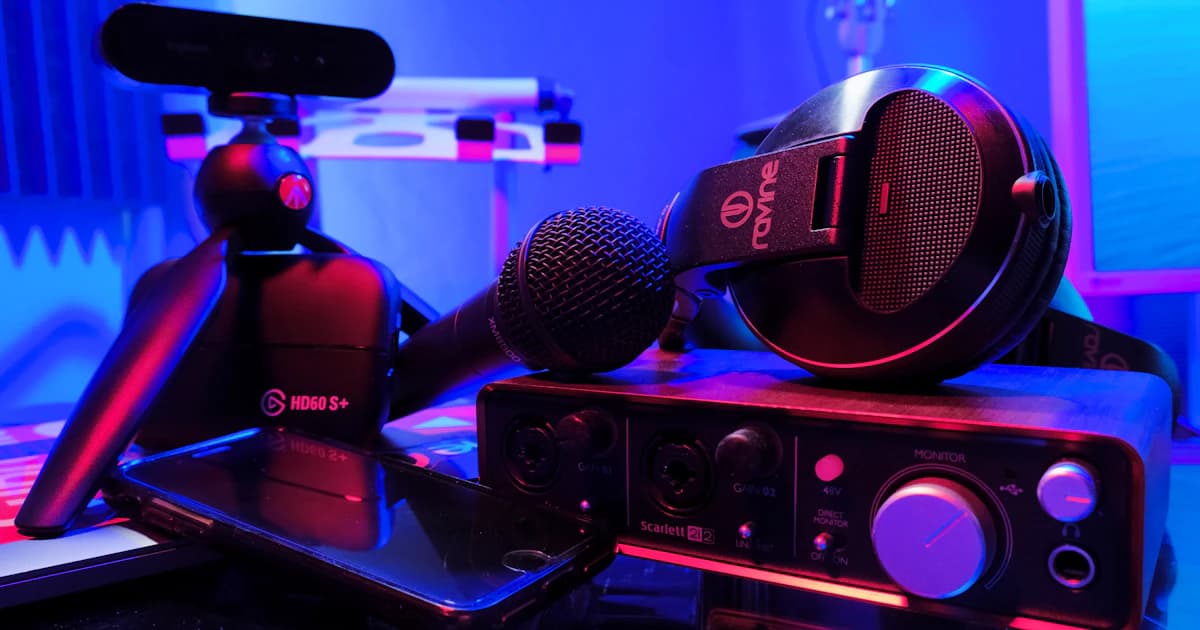
- Mic: Rode NT-USB Mini or Elgato Wave:3 ($100-170)
- Webcam: Elgato Facecam or Logitech Brio ($100-200)
- Capture card: Elgato HD60 X ($150-200)
- Stream deck: Elgato Stream Deck Mini ($80)
Phase 4: Pro ($1,000+)
- Mic: Shure SM7B + audio interface ($400+)
- Camera: Sony ZV-1 or similar ($500+)
- Lighting: Elgato Key Light ($180)
- Acoustic treatment: Foam panels ($50-100)
Do NOT buy Phase 4 gear until you've been consistently creating for at least 6 months and have confirmed this is something you're committed to. Gear doesn't make content good. You make content good. The gear just makes good content sound and look better.
Growing From 0 to 1,000 Subscribers: The Realistic Timeline
Here's what nobody wants to hear: growing a gaming channel is slow. Anyone who tells you otherwise is selling a course.
| Milestone | Realistic Timeline | What's Happening |
|---|---|---|
| 0-10 subscribers | Week 1-2 | Friends, family, first organic finds |
| 10-50 subscribers | Month 1-2 | Search traffic starts trickling in |
| 50-100 subscribers | Month 2-4 | A few videos get traction, you find what works |
| 100-250 subscribers | Month 3-6 | Consistent upload schedule paying off |
| 250-500 subscribers | Month 4-10 | Algorithm starts recommending your content |
| 500-1,000 subscribers | Month 6-18 | Momentum builds, growth accelerates |
Some creators hit 1,000 in 3 months. Some take 18 months. The variable isn't talent - it's niche selection, consistency, and willingness to improve. The creators who grow fastest are the ones who study their analytics obsessively and iterate on every video.
The danger zone is months 2-4. This is where most creators quit because they're uploading to what feels like an empty room. Push through it. The algorithm needs data to work with, and that data comes from your first 20-30 videos.
Facecam vs. No Facecam: The Honest Comparison
This question causes more analysis paralysis than it should. Here's the breakdown:
| Factor | Facecam | No Facecam |
|---|---|---|
| Trust and connection | Higher (viewers see you react) | Lower (but not zero) |
| Production complexity | Higher (lighting, camera, background) | Lower (just capture + audio) |
| Editing time | Longer (syncing camera + gameplay) | Shorter |
| Privacy | You're recognizable | Full anonymity |
| Niche fit | Essential for reactions, streaming | Fine for essays, guides, reviews |
| Notable examples | Markiplier, Jacksepticeye | SsethTzeentach, MandaloreGaming |
The verdict: If you're doing let's plays, reactions, or streaming - facecam helps significantly. If you're doing essays, reviews, or guide content - you genuinely don't need one. Some of the most respected gaming channels on YouTube have never shown their face. Don't let "I don't want to be on camera" stop you from starting.
7 Monetization Paths Ranked by Accessibility
Making money from a gaming channel isn't just about ad revenue. Here are all the paths, ranked from easiest to hardest to access:
| Rank | Path | Minimum Requirement | Expected Income (at 1K subs) |
|---|---|---|---|
| 1 | Free game keys | Any size (on Gamosy) | Saves $200-500/year in game purchases |
| 2 | Affiliate links | 0 subscribers (Amazon, Humble, etc.) | $10-50/month |
| 3 | Discord/community | 100+ engaged followers | $50-200/month (Patreon/memberships) |
| 4 | Sponsorships from indie devs | 500-2,000 subscribers | $50-200 per deal |
| 5 | YouTube Ad Revenue | 1,000 subs + 4,000 watch hours | $50-300/month |
| 6 | Twitch subscriptions | Affiliate status (50 followers) | $20-100/month |
| 7 | Brand sponsorships | 10,000+ subscribers | $500-5,000 per deal |
Notice that #1 is accessible from day one. The moment you start covering indie games, you can receive free keys from developers - that's real monetary value even before your channel is monetized. Building a solid media kit accelerates every other path on this list.
Working With Game Developers: From Keys to Sponsorships
The relationship between creators and developers is the most underutilized growth lever for small channels. Here's how to approach it:
Phase 1: Get on the Radar (0-500 subs)
Start covering indie games that interest you - even without keys. Developers notice when someone makes a genuine, enthusiastic video about their game. Tag them on Twitter, use their hashtags, join their Discord. Many devs will reach out to YOU with a key for your next video.
Phase 2: Join Platforms (500+ subs, but really any size)
Sign up on platforms that connect creators with developers. Most platforms require minimum follower counts. Gamosy doesn't - you can browse and apply to campaigns at any channel size. Developers on Gamosy set their own criteria, and many specifically target smaller creators because they know engagement rates are higher for nano and micro channels.
Phase 3: Build Relationships (1,000+ subs)
Once you've worked with a few developers successfully, those relationships compound. Developers talk to each other. A positive experience with one dev leads to introductions to others. Your reputation in the indie dev community becomes its own growth engine.
This is exactly the kind of ecosystem that indie developers and creators benefit from - a genuine partnership where both sides grow together.
How Gamosy Fits Into Your Growth Strategy
Transparent moment: we built Gamosy specifically for this use case. Not for creators with 500K subscribers who already have publishers lining up. For the creator with 200 subscribers who makes great indie horror content and deserves access to the same opportunities.
Here's what Gamosy does for a growing channel:
- Campaign discovery - browse game key campaigns filtered by your genre and platform
- Verified profile - connect your YouTube, Twitch, or TikTok via OAuth so developers see real stats, not inflated screenshots
- Portfolio building - every campaign you complete builds your track record, making future approvals easier
- Developer matching - our system matches you with campaigns based on genre fit and engagement, not just subscriber count
The creators who get the most out of Gamosy are the ones who are already doing what this guide recommends: picking a specific niche, uploading consistently, and engaging with the indie game community. The platform just removes the friction of finding developers and proving your credibility.
Common Mistakes That Kill Gaming Channels
Speedrun of what NOT to do:
1. Uploading without a thumbnail strategy. Your thumbnail is an ad for your video. If it's a random screenshot with tiny text, you've already lost. Study thumbnails from successful channels in your niche. Use contrasting colors, readable text (3-5 words max), and expressive faces or dramatic game moments.
2. Chasing trends you don't care about. Yes, the new AAA battle royale just dropped. No, you shouldn't cover it if your niche is cozy farming sims. Your audience subscribed for a reason. Respect that.
3. Inconsistent uploads followed by burnout. Uploading 5 videos in week one, then disappearing for a month, then uploading 3 more, then vanishing again. Pick a sustainable schedule - even one video per week - and stick to it. The algorithm rewards consistency more than volume.
4. Ignoring Shorts and clips. If you're making 20-minute videos and not cutting 30-60 second highlights for Shorts and TikTok, you're leaving free discovery on the table. Every long video has at least 2-3 clip-worthy moments.
5. Waiting for perfect equipment. Your content from a phone with earbuds will look rough. It will also exist, which is more than 99% of people who "want to start a gaming channel" can say. Ship it. Improve later.
6. Never checking analytics. YouTube Studio tells you exactly which videos perform, where viewers drop off, and what search terms bring people to your channel. If you're not checking this weekly, you're flying blind in a Dark Souls boss fight - technically possible, but unnecessarily painful.
TL;DR
The gaming content space in 2026 is crowded at the top and wide open in the middle. Pick a specific niche (indie games are the cheat code), start with YouTube or TikTok for discovery, upload 30 videos in your first 8 weeks, and don't spend money on gear until your phone setup proves you're committed. Cover indie games to get free keys and build developer relationships from day one. Use platforms like Gamosy to connect with developers who value engagement over subscriber count. Growth from 0 to 1,000 takes 6-18 months for most creators - the ones who make it are the ones who don't quit at month three.
GG, now stop reading guides and go upload your first video.
More reading: How to get game keys as a creator | Build your gaming media kit | Why indie devs need creators
Frequently Asked Questions
How long does it take to grow a gaming channel from zero?
Most gaming channels take 6-18 months to reach their first 1,000 subscribers. The timeline depends heavily on niche selection, upload consistency, and content quality. Creators covering underserved niches like indie games tend to grow faster because there's less competition for search traffic and algorithm recommendations.
What is the best platform to start a gaming channel on in 2026?
YouTube is the best starting platform for most gaming creators because it offers strong search-based discovery and evergreen content that generates views for years. TikTok is the fastest for building initial awareness. Start with one, expand to both, and only add Twitch once you have an audience to bring with you.
Do I need expensive equipment to start a gaming channel?
No. A phone, free recording software like OBS Studio, and free editing software like DaVinci Resolve are enough to start. The single best upgrade is a $30-50 USB microphone. Do not invest in expensive gear until you have uploaded at least 20-30 videos and confirmed your commitment to creating content consistently.
Is it too late to start a gaming YouTube channel in 2026?
It is too late to become a generic variety gaming channel competing with established creators. It is absolutely not too late to build an audience in a specific niche. New creators break through every month by covering underserved genres, providing unique perspectives, or targeting games that larger channels ignore entirely.
How do small gaming creators make money?
The most accessible monetization paths for small creators are free game keys (saving hundreds per year), affiliate links (available immediately), and community memberships via Patreon or YouTube. Ad revenue requires 1,000 subscribers and 4,000 watch hours. Indie developer sponsorships typically start around 500-2,000 subscribers for niche channels.
How do I get game developers to notice my small channel?
Cover games you genuinely enjoy, tag developers on social media, join their Discord communities, and sign up on platforms like Gamosy that connect creators with developers regardless of channel size. Developers actively search for creators covering their genre, and a small channel with genuine enthusiasm is more valuable to most indie devs than a large channel with no genre fit.